
How to Track Your Cycle
Step 1:
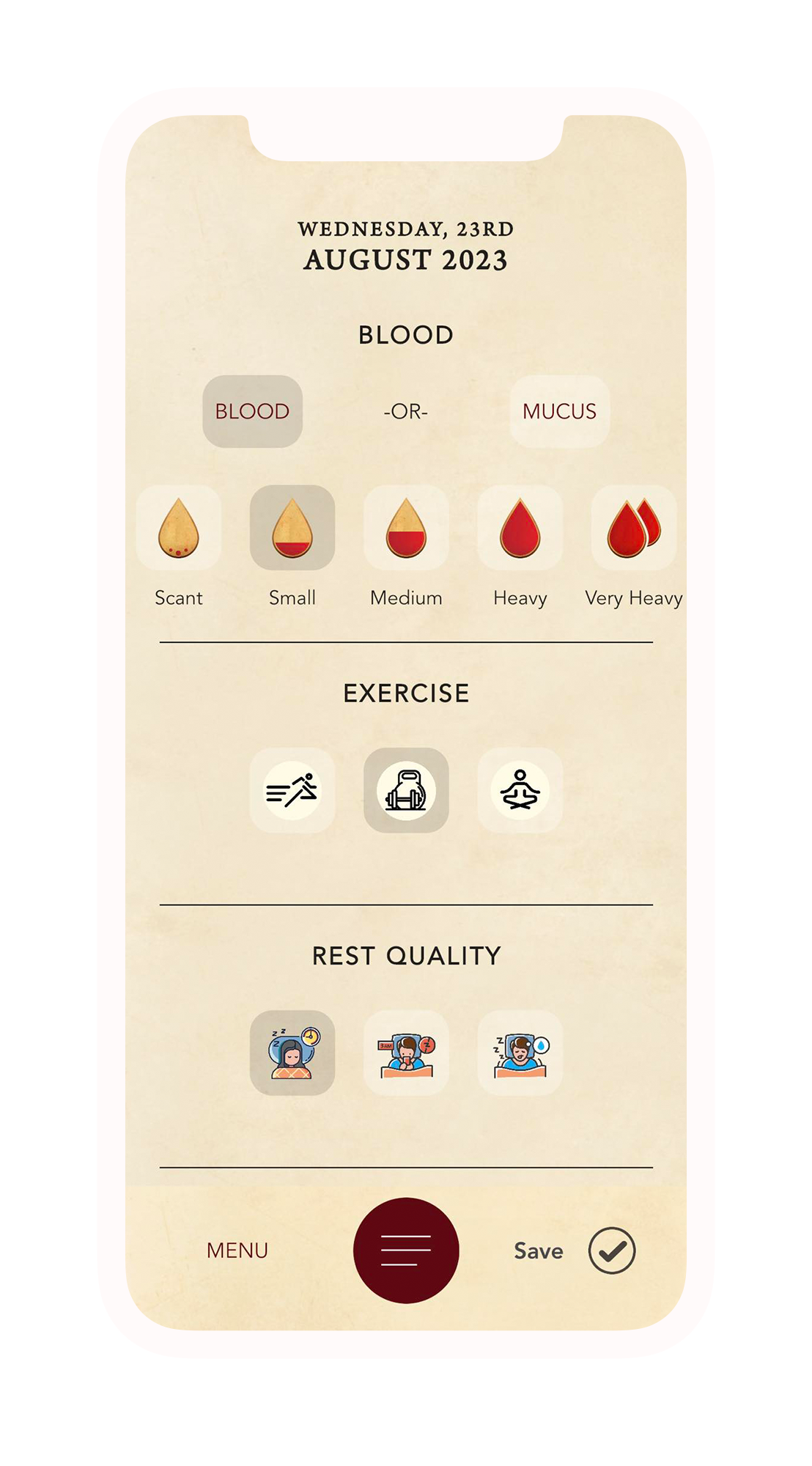
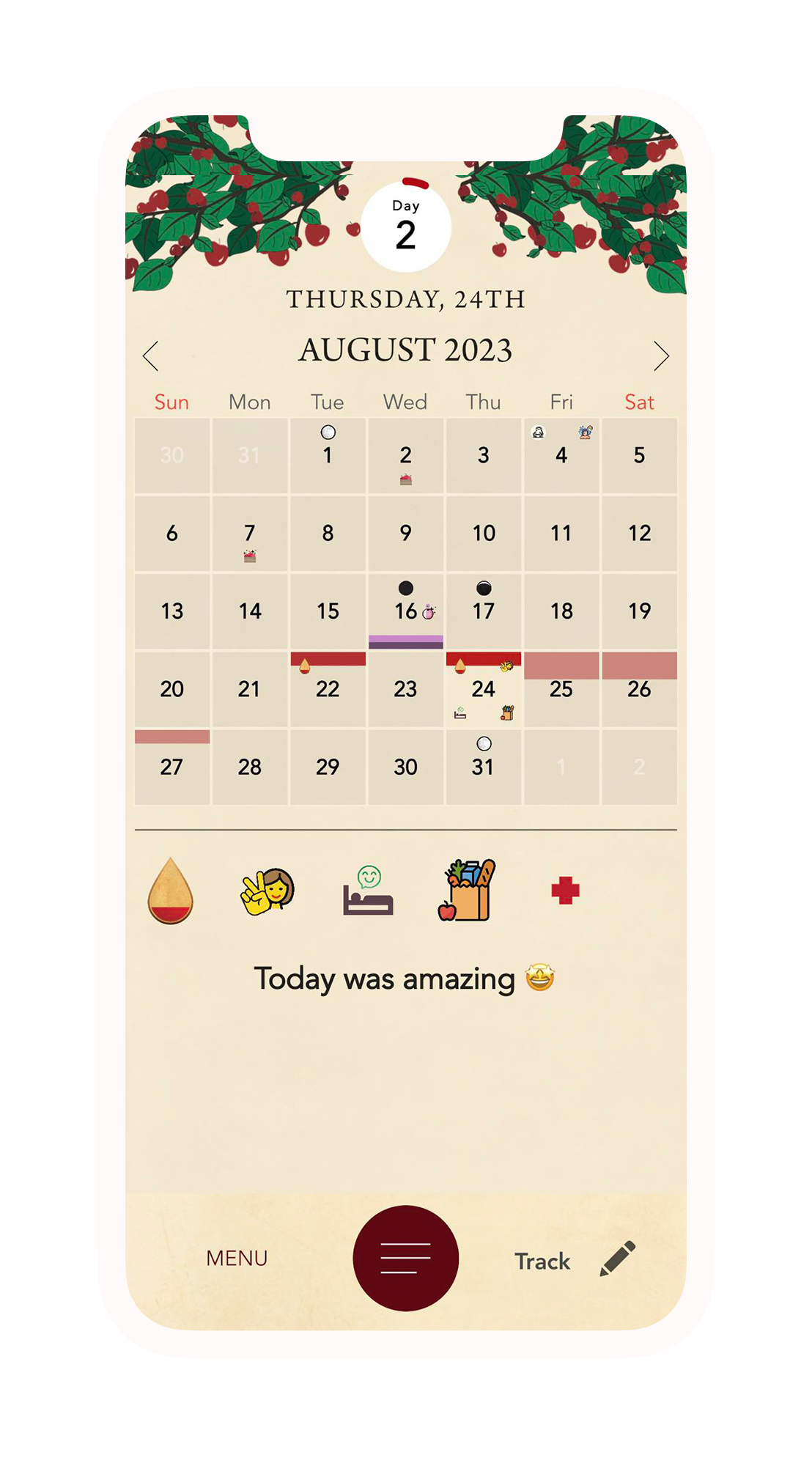
On the day your period starts, record the date.
1 . Tap the Track button

2 . Select the suitable Blood level
(if you don’t see this, enable it in user settings)

3 . Tap the Save button

4. Great job! Day 1, the start of your period is now tracked on your calendar
Step 2:
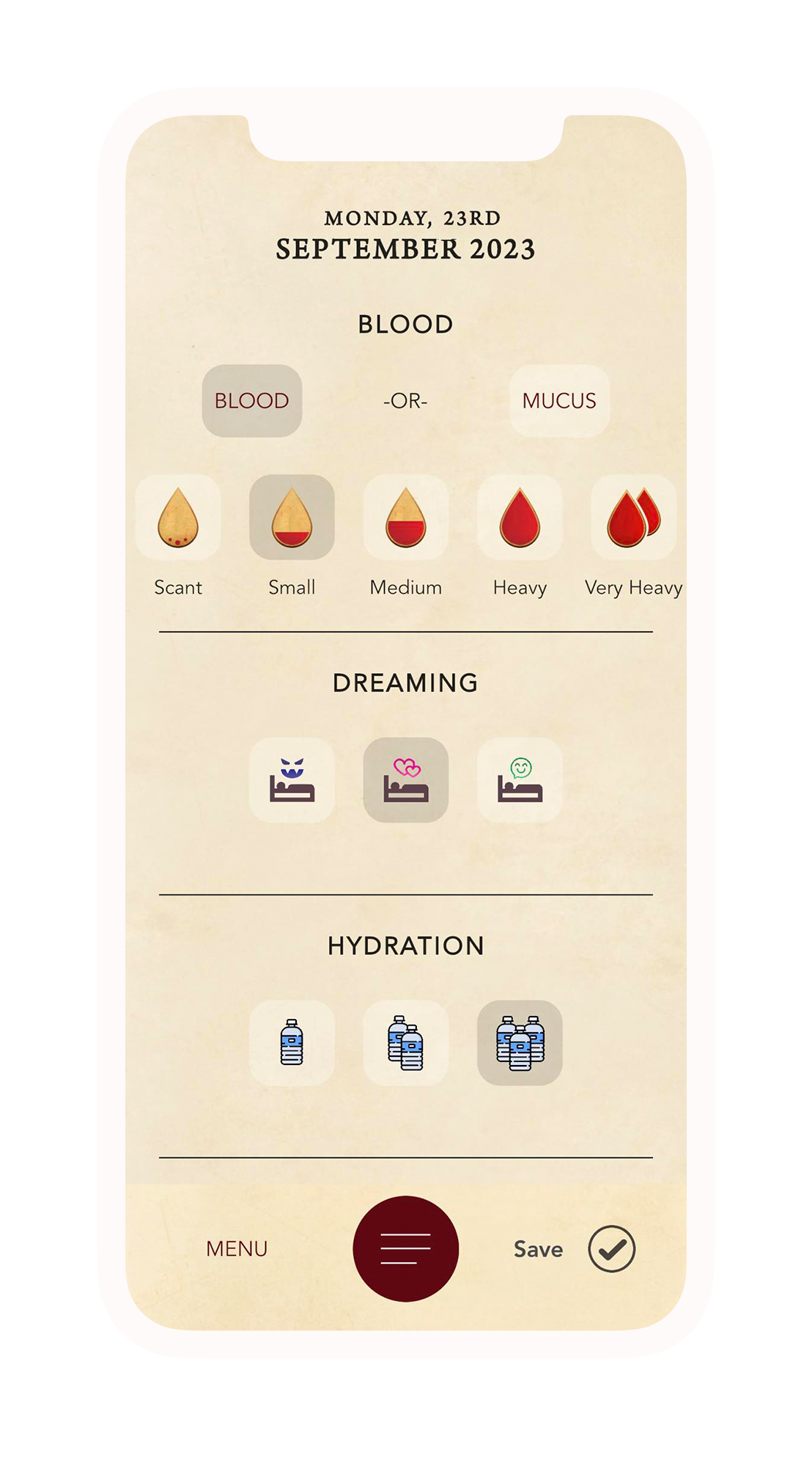
Every day you are bleeding, track your level
1 . Tap the Track button
2 . Select the suitable Blood level
(if you don’t see this, enable it in user settings)
3 . Tap the Save button
Step 3:
Recording The Next
‘Day 1’
Around one month later, on the exact day your next period starts, record the date with the Spinning Wheels tracking tool.
The number of days between each ‘Day 1’ is your Menstrual Cycle Length, Spinning Wheels will use this as the basis for your cycle predictions.
1 . Tap the Track button
2 . Select the suitable Blood level
(if you don’t see this, enable it in user settings)
3 . Tap the Save button
4. Well done! Your Menstrual Cycle Length is now predicted on your calendar, with each bleeding day displayed as a red line across calendar days.
Identifying Irregular Cycles
If you track bleeding outside of your cycle predictions, Spinning Wheels will ask if you would like to update your ‘Day 1’. Choosing ‘yes’ will update your Menstrual Cycle Length, affecting all future predictions.
✅ If your period is definitely starting on this new day, tap yes – this will update your future predictions accordingly.
❌ If the bleeding is due to another cause, tap no – this will leave your cycle length and predictions unchanged.
Remember to track every day: this helps monitor cycle irregularity, facilitate retrospective understanding and identify patterns
Prediction algorithm explained:
spinningwheels.app/algorithm

Symptoms, Life & Mood:
Track how you feel
On the days you are not bleeding, track daily symptoms like breast tenderness, mood changes, and energy levels. These events can provide insights into your cycle’s different phases while bringing mindfulness and self care into your day.
1 . Tap the Track button
2 . Track what is important to you
(to see all icons, tap ‘all items’ under the notes section)

3 . Tap the Save button
4. Fantastic! Your daily physical health, mental health and mindfulness practice is complete in less than a minute.
Ovulation & Luteal Phase:
Accurately predicting your fertile window
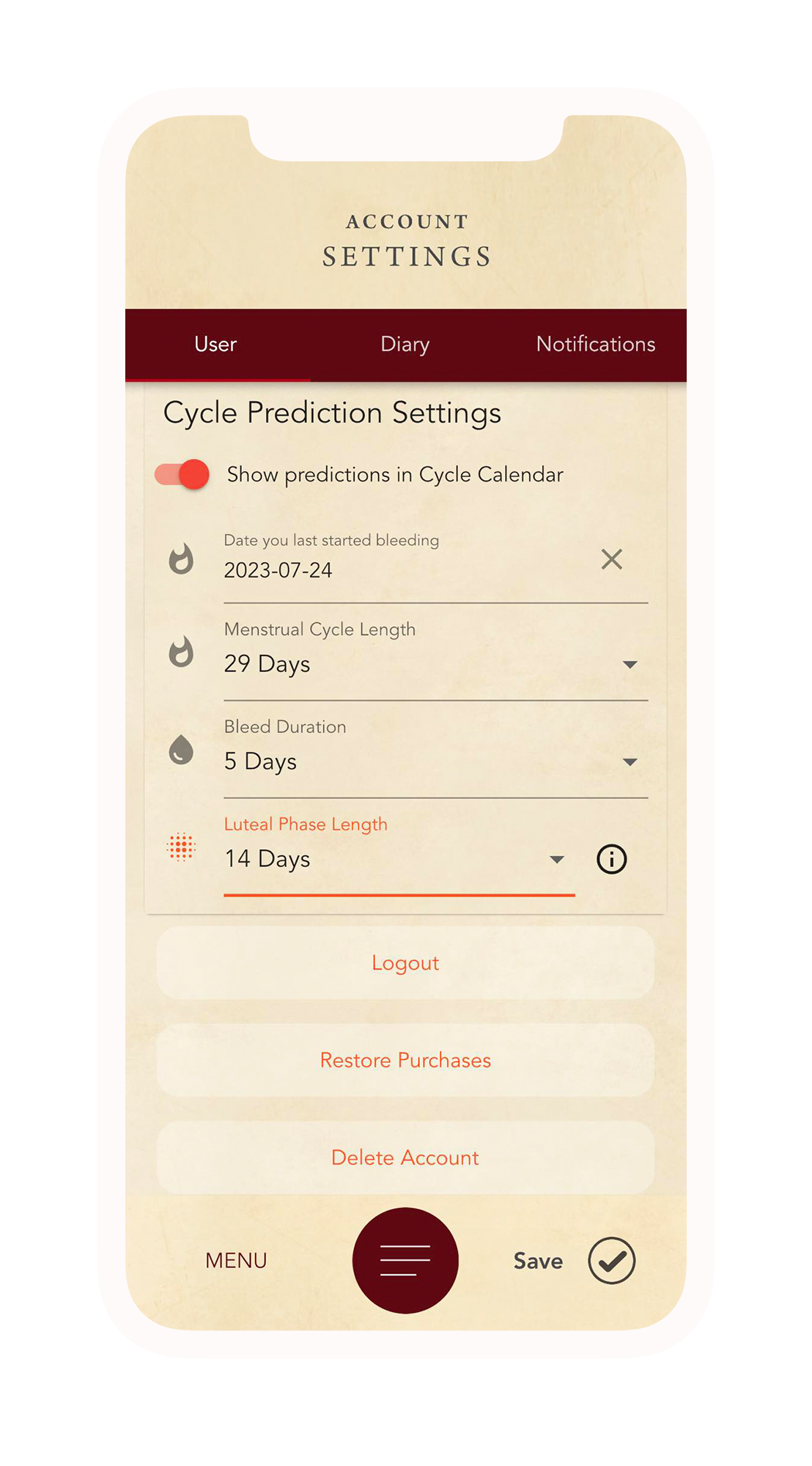
NOTE: Spinning Wheels uses the traditional 14 Day Luteal Phase by default for all users. This means that your default ovulation prediction will be 14 days prior to each ‘Day 1’ of your period predictions.
To establish greater accuracy for your ovulation predictions, you need to find out the length of your luteal phase;
1 . Perform Ovulation Tests, testing your LH levels, to determine your ovulation date. Record the results using the Ovulation Test function in the Spinning Wheels tracking tool.

2 . Measure Basal Body Temperature (BBT) every morning upon waking and record it in your tracking notes section. A slight increase after ovulation can help identify your fertile window.

3. Look for the physical signs of ovulation displayed by your body; stretchy mucus, increased body awareness and libido, sensations or discomfort in your ovary area.

4 . After you determine the date of ovulation through testing, count the number of days between your Ovulation, and Day 1 of your following period. This is your Luteal Phase Length – Enter that number of days in your user settings.


Tracking Menopause:
Body, Mood & Energy Levels
As you transition through Peri-Menopause, tracking your daily symptoms provides invaluable insights for your healthcare choices.
In Post-Menopause, your unique journey is complimented through conscious daily body awareness and mindfulness practice provided by Spinning Wheels.
1 . Tap the Track button
2 . Track what is important to you
(to see all icons, tap ‘all items’ under the notes section)

3 . Tap the Save button
4. Great work! You’ve integrated mindfulness into your day, while bringing greater awareness to your well-being.
Frequently asked questions
The moon phase doesn't line up with my moon tracking website / app
Spinning Wheels uses algorithms from Practical Astronomy with your Calculator, second edition, by Peter Duffett-Smith.
While it’s not perfect, it aligns to within an hour of the Nasa observatory.
The sabbats don't line up with my sabbat tracking website / app
We track sabbats in two ways, traditional, and astronomical.
Traditional sabbats always fall on the same day every year, and they are generally what is tracked by websites and calendars.
Astronomical sabbats track the position of the earth relative to the sun every year, so they may vary by a few days each year.
Our astronomical calculation use algorithms based on Astronomical Algorithms, second edition, by Jean Meeus and they fall within an hour of the Nasa observatory.
The app predicted I'm a few days into my cycle, but it's only just started
Go to the settings and change the “Date you last started bleeding” to the day you started bleeding and the app will recalculate your cycle.
If it doesn’t change immediately, try restarting the app.
The app has the wrong ovulation date
You can change the date of ovulation by changing the luteal phase length.
Decrease it to move it closer to the end of your cycle, and increase it to move it closer to the start.
I've paid for the membership, but I can't access the content
Make sure you’re online so the app can refresh correctly.
If that doesn’t work, go to settings, and press “Restore purchases”.

